Check today's outreach list, pull up any account, and tap to call or email — from the truck, the plant floor, the parking lot. Log the call or scan a business card on the spot and it's waiting in the desktop app when you're back. Free with your Drip license.
Free companion app · Requires The Drip on a Windows or Mac desktop
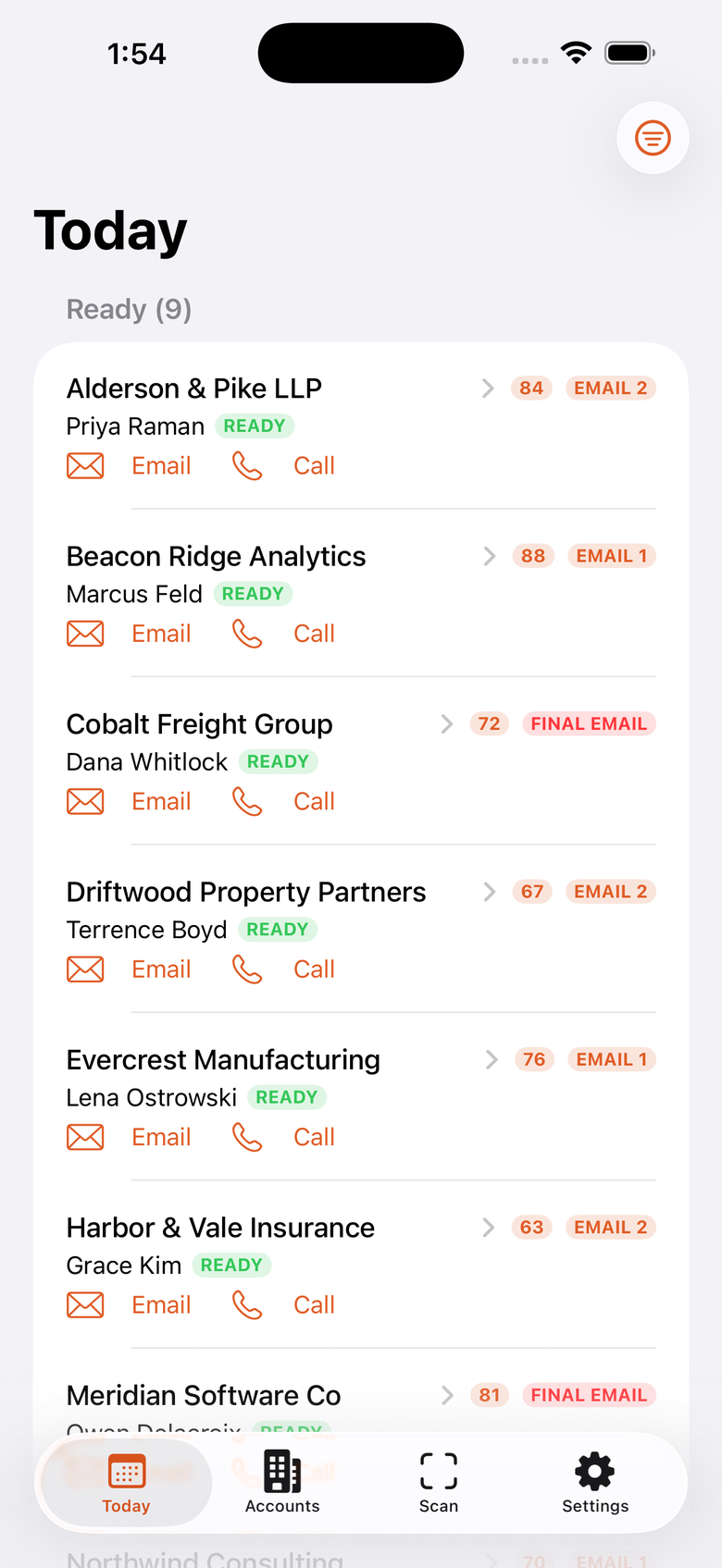
Your daily list, the card scanner, and the review step before anything is saved.
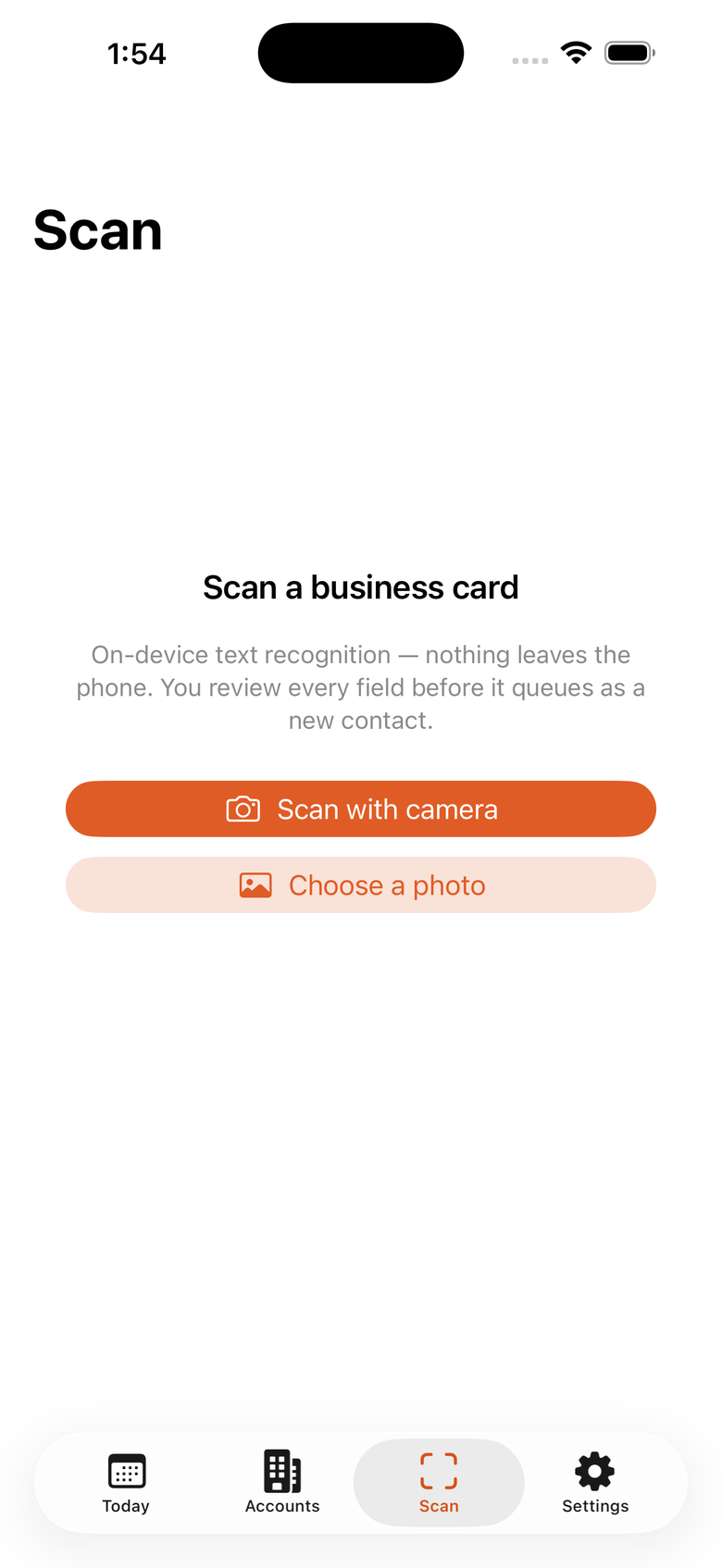
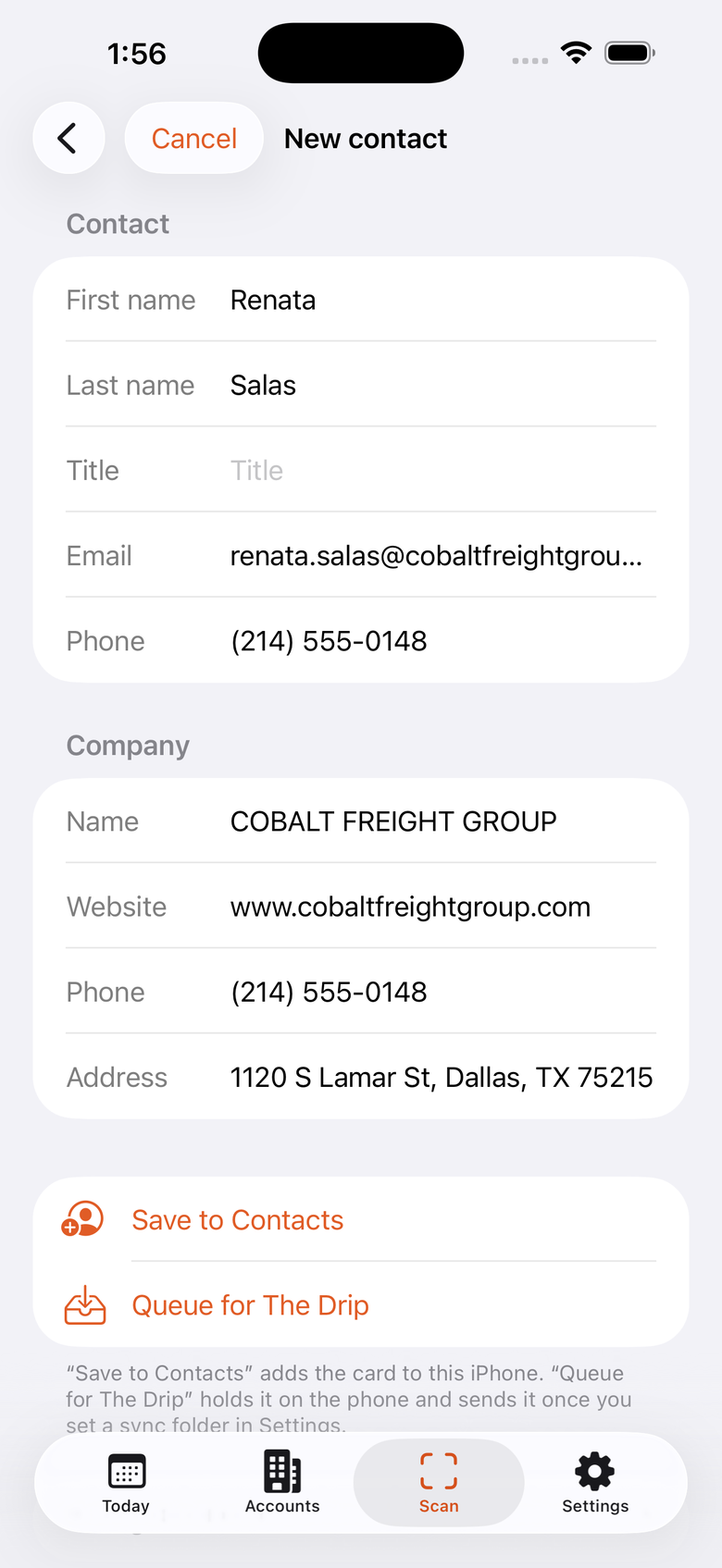
It's a companion, not a second CRM. The desktop app still runs the cadence — the phone is for working the list when you're away from your desk.
The same daily schedule the desktop builds — who's due, which touch, split into Ready now and Coming up. Sorted so your highest-score accounts sit at the top.
Search every company and contact, sorted highest score first, with filters for Active, Reached, Leads, and Opps. Open a company for its contacts, score, and full detail.
One tap hands off to the iPhone's own Phone, Mail, and Maps apps. When you come back from a call, the app offers to log it right then.
Mark a call made or drop a note against a contact from the field. It queues on the phone and lands in the desktop app on its next sync — the cadence advances just like it would on the desktop.
Point the camera at a card and on-device text recognition reads the name, title, company, email, phone, and website, then opens a pre-filled contact to check and save. The image never leaves your phone.
No account to create, no server to sign into. The phone reads and writes files in a cloud folder you already own. If your desktop app is off, the phone just shows the last synced copy.
The Drip on your desktop and the app on your phone both point at the same folder in cloud storage you already use — iCloud Drive, OneDrive, Dropbox, or Google Drive. The provider's own app does the actual syncing.
On launch, every ten minutes, and when you close it, The Drip drops a current snapshot of your pipeline into the shared folder. Nothing about your live database changes.
Open the app and it loads the latest snapshot from the folder — today's list, your accounts, your contacts. Pull to refresh any time.
Log a call, mark a call made, add a note, or scan a card and the phone writes a tiny append-only update file back to the same folder. It never edits your existing records directly.
The Drip reads those update files, adds the calls, notes, and new contacts, advances the cadence, and publishes a fresh snapshot — which the phone then shows. One loop, no conflicts to resolve.
The iPhone app is a companion to the desktop app — it needs The Drip running on a Windows or Mac computer to sync with. It's free; there's no separate purchase and no in-app subscription.
Is it really free?
Yes. The iPhone app is free for everyone — you don't need to own The Drip or The Drip Suite to download it, and there's no purchase and no subscription inside it. It's a companion, so it's most useful paired with the desktop app.
Does it work without the desktop app?
No. It's a companion. The desktop app is what runs the cadence and holds your real database; the phone reads a copy and sends field updates back. With no desktop app syncing, the phone would just show a stale snapshot and have nowhere to send your logged calls.
What data leaves my computer?
Only a copy of your pipeline, written into a cloud folder you chose and control. There's no server operated by us, no analytics in the app, and business-card images are processed on the phone and never uploaded. See the privacy policy.
Can I edit or delete records from the phone?
Not in this version. The phone can add things — a logged call, a note, a scanned contact, a "call made" mark — but it never edits an existing field or deletes anything. That's a deliberate choice so there's never a sync conflict to untangle.
Does the app send emails itself?
No. Tapping an email address opens the iPhone's Mail app with the address filled in; you send it. The desktop app is still where drip emails go out.
When can I get it?
It's out now. Get it on the App Store.
Free on the App Store, for everyone.